
How to Build an AI Agent From Scratch
Learn to build agents without frameworks

Hey, I’m Colin! I help PMs and business leaders improve their technical skills through real-world case studies. Subscribe to paid to get access to the AI Product Circle community on Slack, my full Tech Foundations for PMs course (84 lessons), a prompt library for common PM tasks, and discounts for live cohort-based courses.
Platforms like N8N, Zapier, and frameworks like LangChain have made it easy to build AI agents without necessarily knowing what’s happening underneath. That works, right up until your agent does something unexpected and you have no idea why.
In this post I will show you exactly how agents work by walking through how to build one step-by-step. We’ll use a customer support agent as the example throughout.
You’ll learn what a tool is, how the LLM and your server pass information back and forth, how the agent decides when it’s done, and how to assemble all of it into a working loop.
Step 1: Get an LLM that supports tool calling
The first thing you need is a large language model (LLM) that supports tool calling. Tool calling is a feature that lets the model request that your server run a specific function, rather than just generating text.
A tool is a function you define and describe to the LLM before the conversation begins. You tell the model: these are the actions available to you. The model then decides, based on the conversation, whether to call one and which one to use
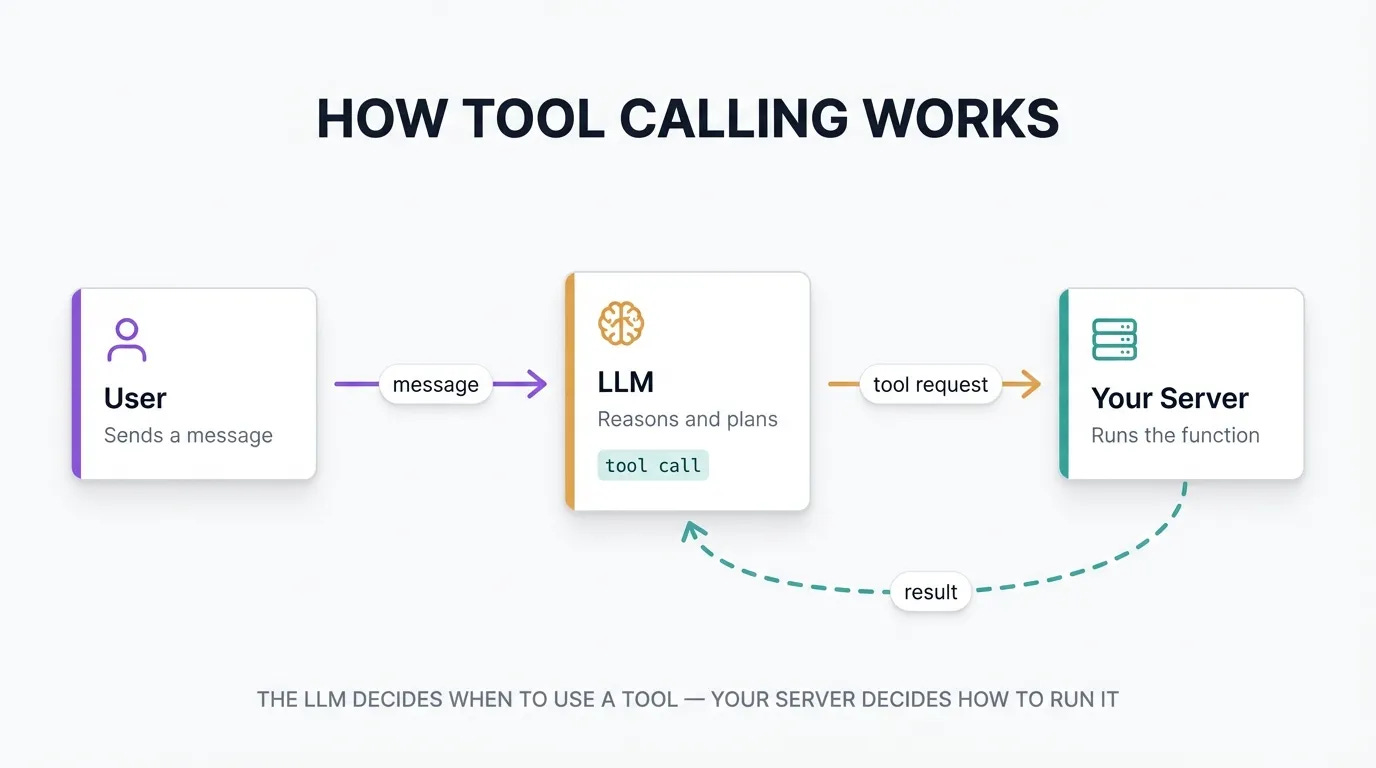
For example, you could build a tool called ‘search_web’ that looks up information online, rather than depending on the LLMs existing knowledge. To use the ‘search_web’ tool, you would:
Create an tool handler on your server that can search the web when the ‘search_web’ tool is called
Send a request to the LLM with the ‘search_tool’ included in the list of available tools
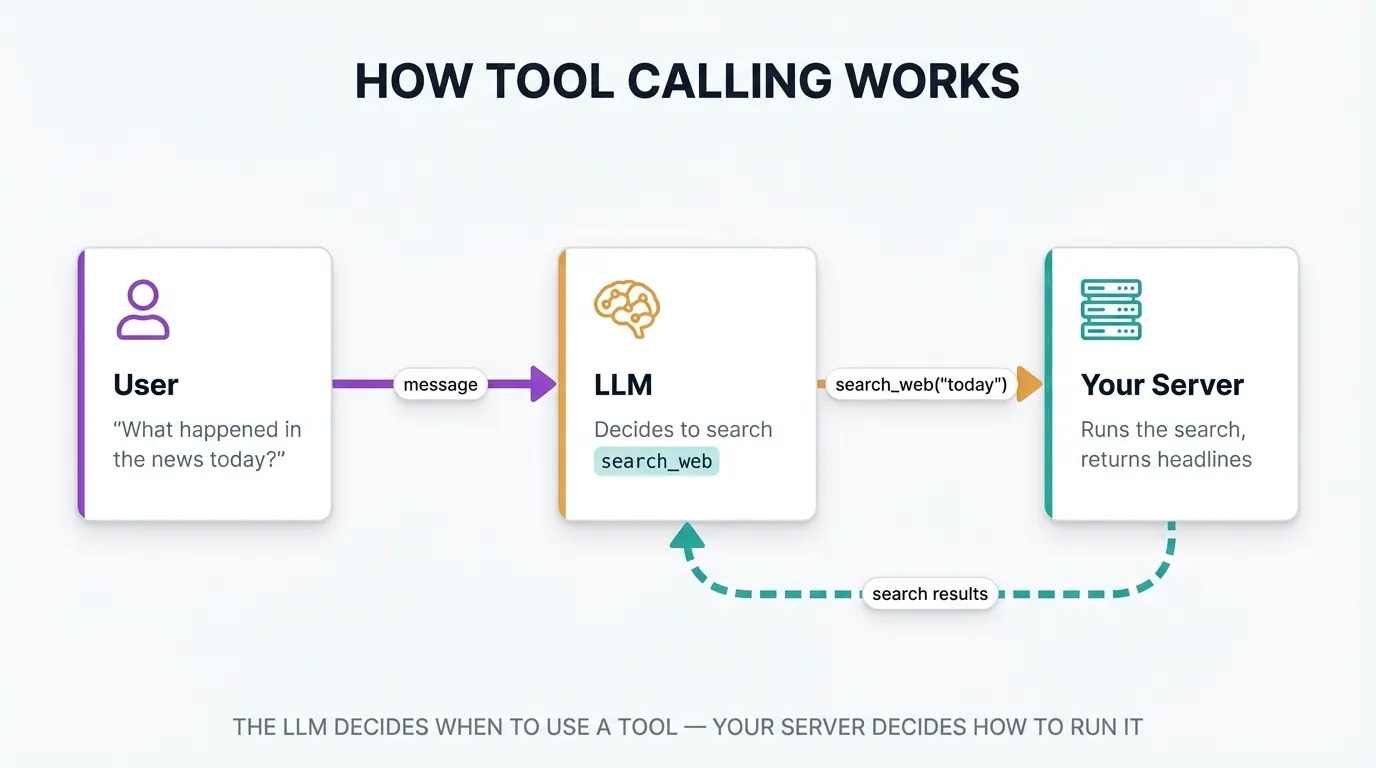
Tool calling has only become reliably good recently. Models from Anthropic, OpenAI, and Google have improved dramatically over the past two years. That improvement is what made agents practical outside of research settings.
Step 2: Decide when the agent should stop
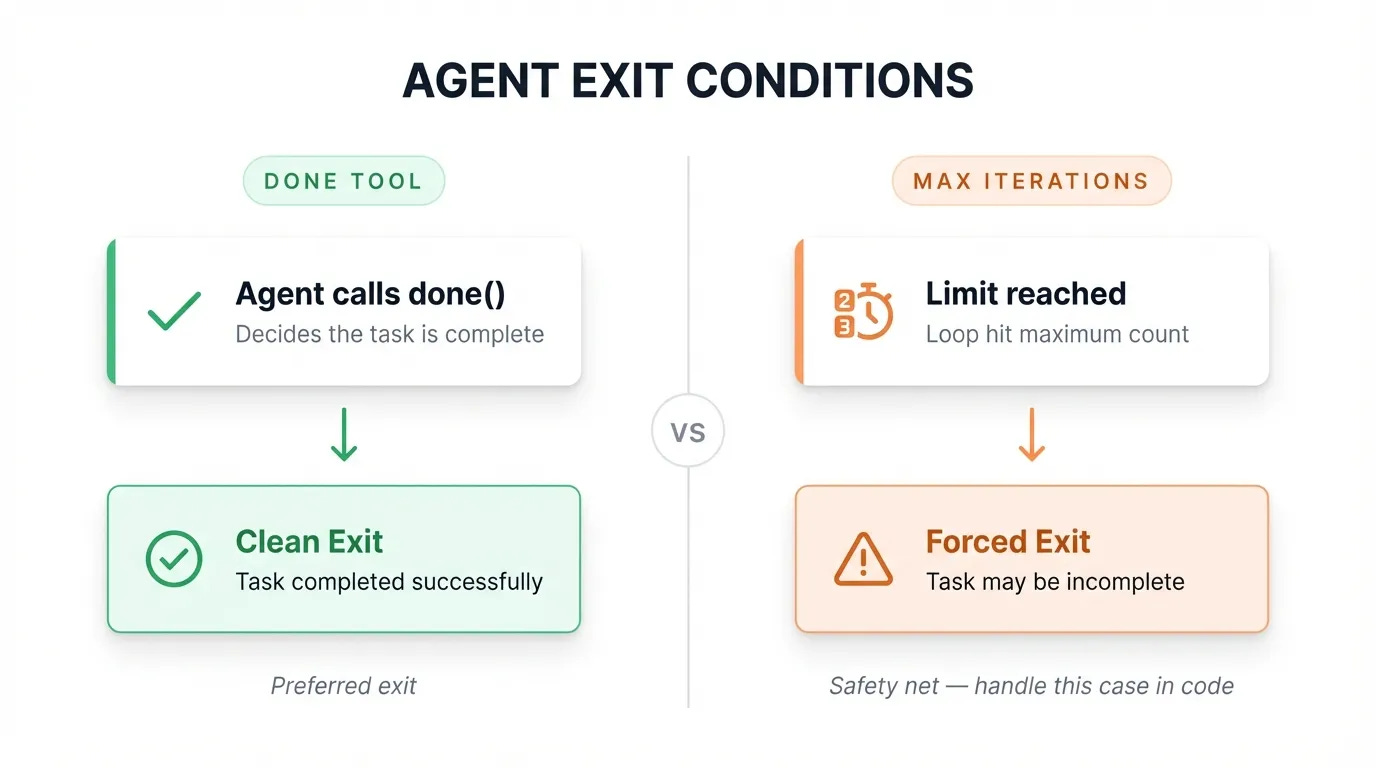
An agent running in a loop needs an exit condition. Two approaches work well together:
A “done” tool. You define a tool called something like complete_task or end_conversation. When the model calls it, your loop exits cleanly. The agent finishes when it decides it has finished.
A maximum iteration limit. You set a cap on the number of loops. Max iterations are useful as a safety net, but hitting the limit means the agent ran out of turns before it could complete its work. You’ll want to handle that case explicitly so the user knows what happened.
Most production agents use both: the done tool as the primary exit, max iterations as the fallback.
Step 3: Give the agent some tools
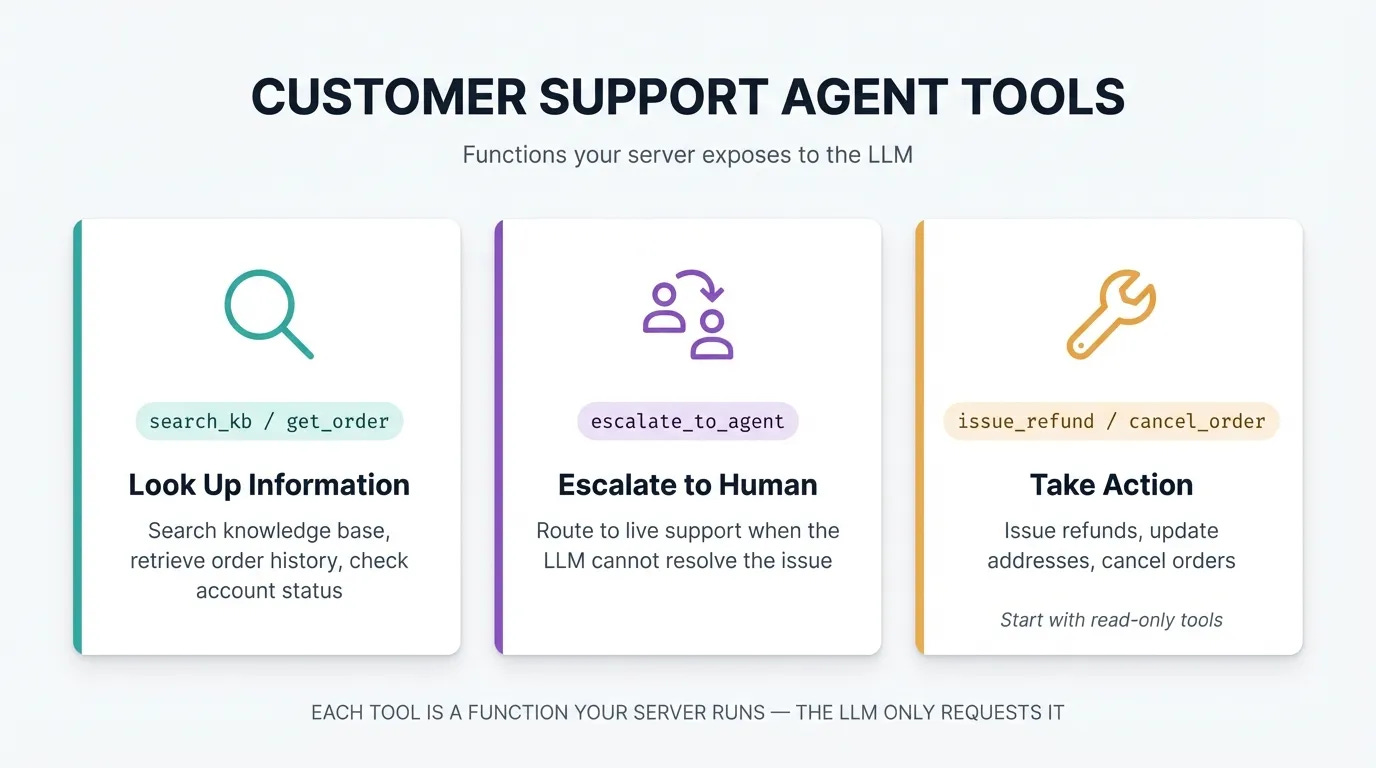
The tools you provide define what the agent can actually do. For a customer support agent, three categories make sense:
Information lookup: search the knowledge base, pull up a customer’s order, check account status
Escalation: route the conversation to a live agent when the issue is outside what the LLM can resolve
Actions: issue a refund, update a shipping address, cancel an order (start with read-only tools and expand from there)
Each tool is a function your server exposes. The LLM requests it by name with whatever arguments it needs. Your server runs the function and returns the result.
Each tool has a list of arguments or variables that can be passed in, like the order ID that needs to be refunded. Tools also have a description that helps the agent understand how to use them, and can return errors that tell the LLM what went wrong. These errors can allow the agent to self correct if they’re descriptive enough!
Step 4: Write the system prompt
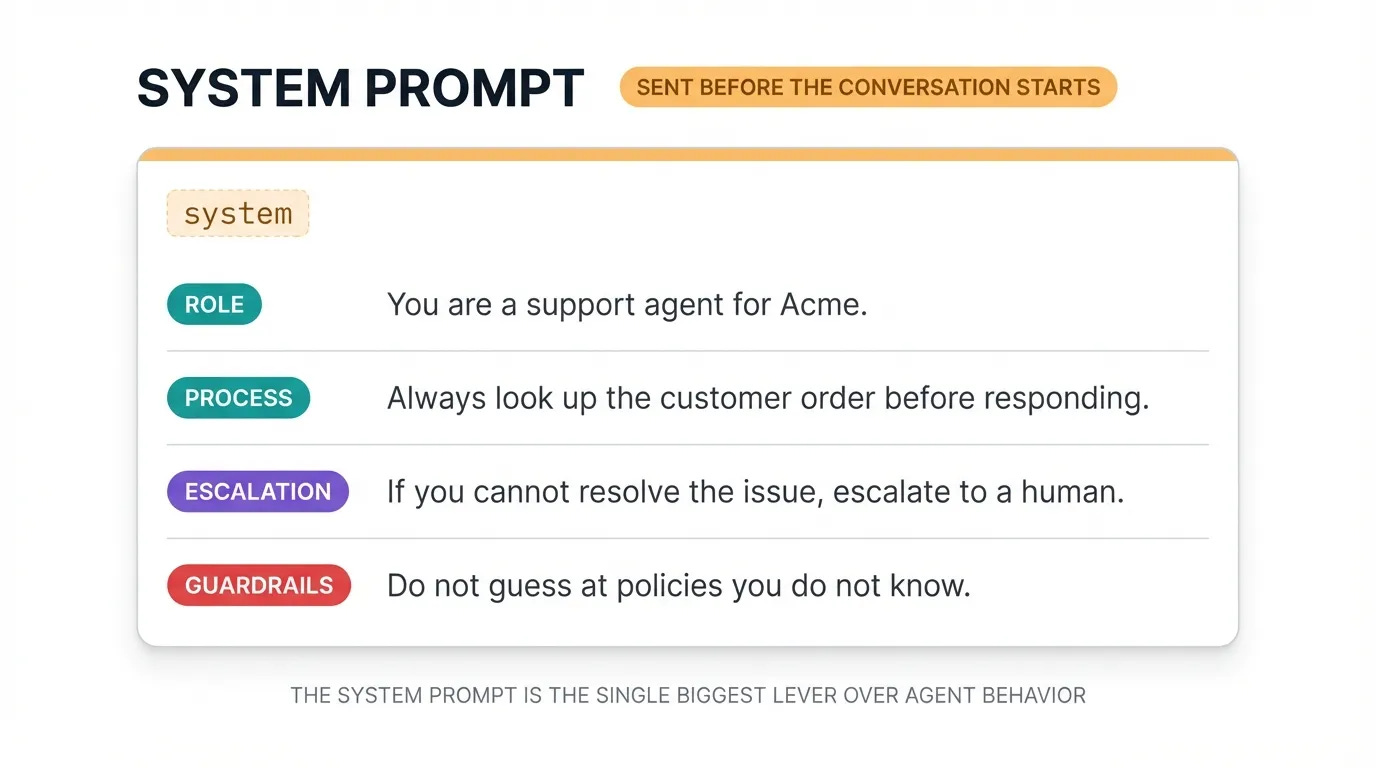
Before the loop starts, you give the LLM a system prompt: a set of instructions that defines how it should behave. This is where you set the agent’s personality, scope, and guardrails.
For a customer support agent, your system prompt might include:
“You are a support agent for Acme. Always look up the customer’s order before responding. If you cannot resolve the issue with the tools available, escalate to a human. Do not guess at policies you don’t know.”
The system prompt is the single biggest lever you have over agent behavior. A well-written prompt prevents most of the edge cases you’d otherwise spend days debugging.
I’ll include full details on writing and improving system prompts in an upcoming post!
Step 5: Put it all in a loop
When a user sends a message, your server calls the LLM with the full conversation history. The model reads everything and decides what to do.
If it decides to use a tool, it responds with a structured message containing the tool name and arguments. Your server runs the tool, collects the result, then calls the LLM again, this time passing the full conversation including the tool request and the result.
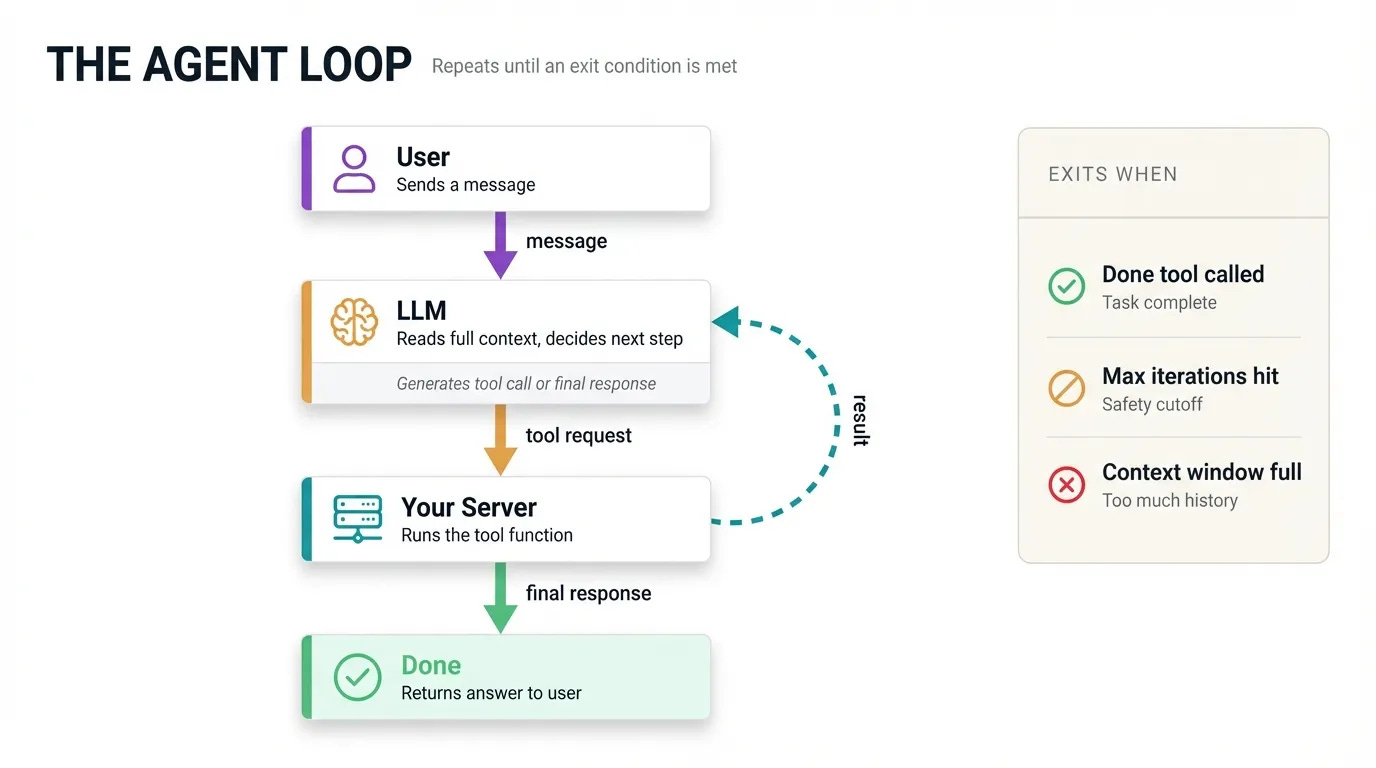
The LLM reads all of that context fresh and decides what to do next, usually calling another tool or generating a final response. This continues until the agent calls your done tool, you hit the max iteration limit, or you fill up the context window.
The context window is the maximum amount of text you can send to the LLM in a single call. A 250k token context window works out to roughly 1 million characters of text, which sounds like a lot, but each tool call adds to the history you carry forward on every subsequent call. A long agent session fills the context faster than you’d expect.
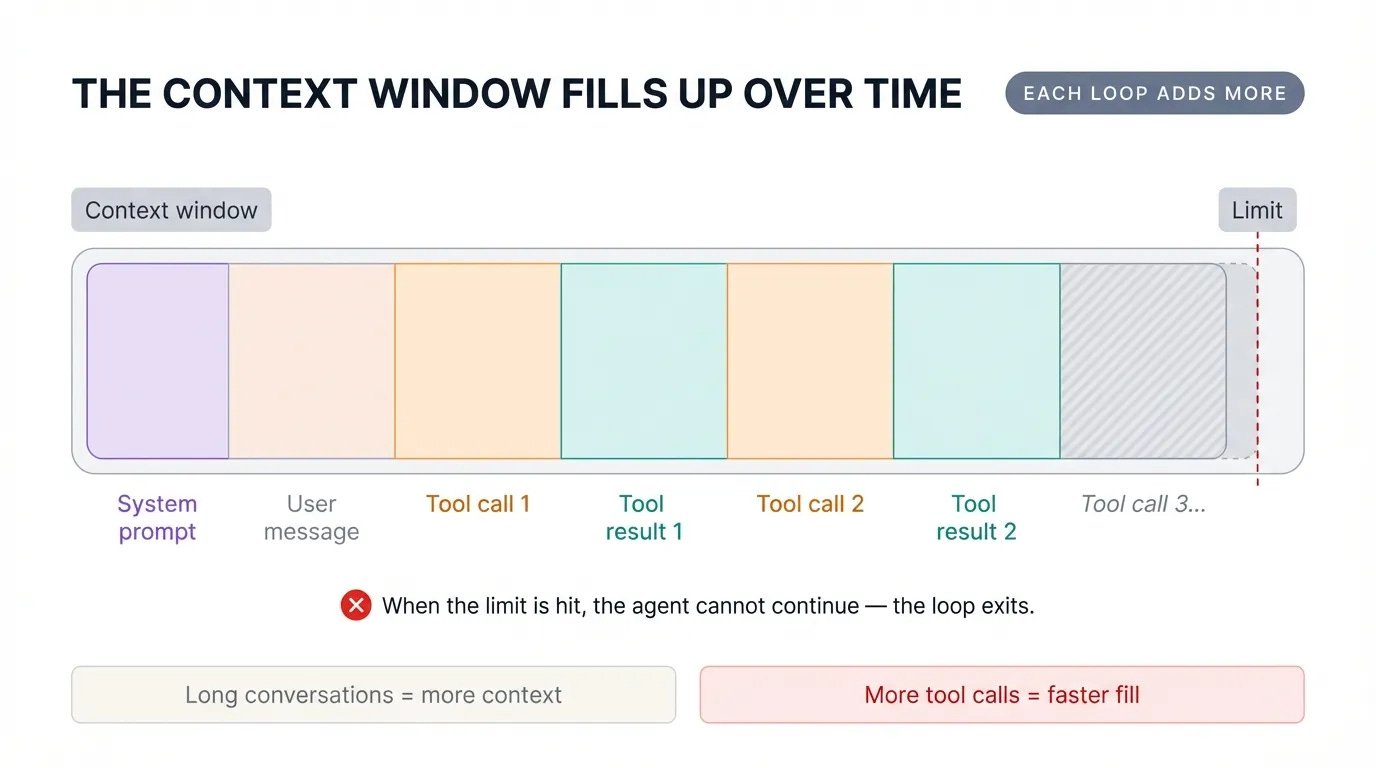
There are strategies for managing and reducing the context window, including compaction and removing old tokens from tool calls and thinking — to be covered later!
Putting It All Together
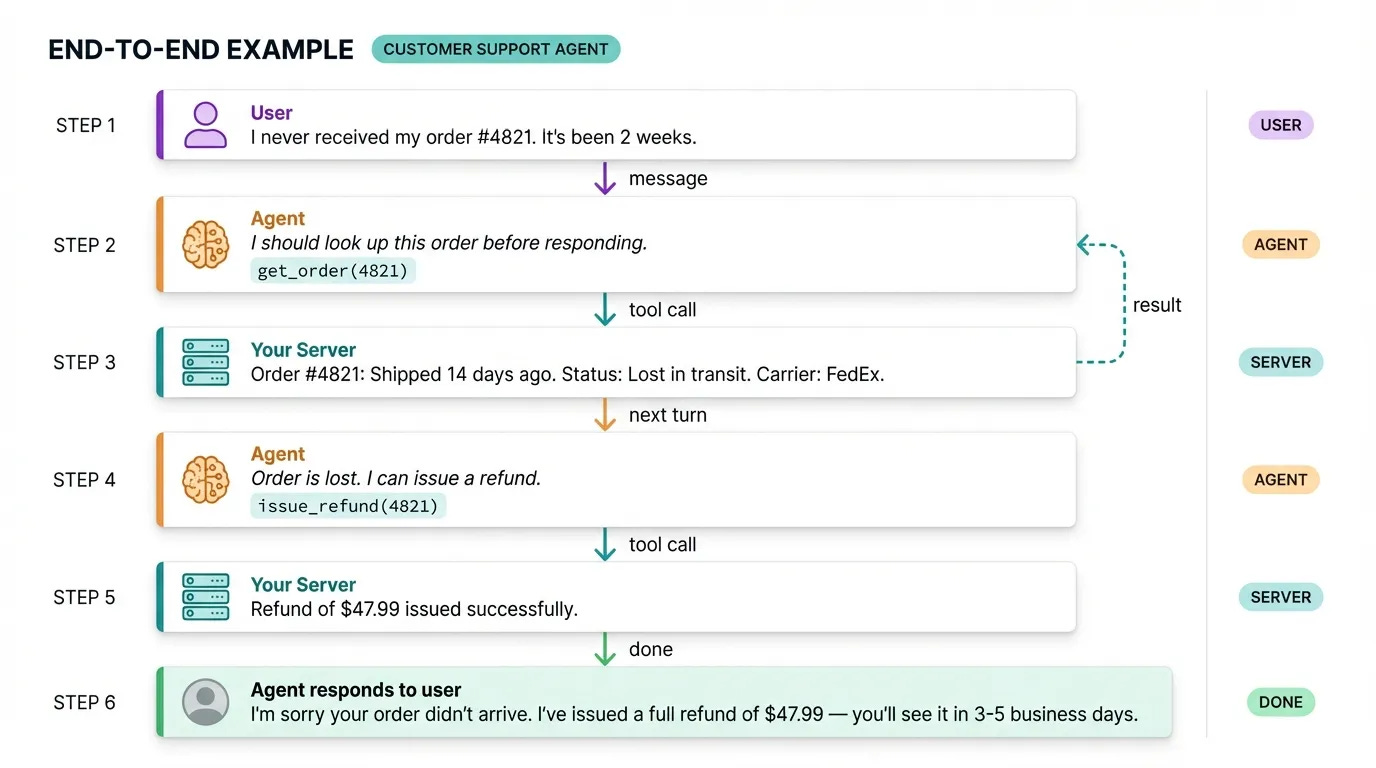
To make this concrete, let’s trace a full example. A user says their order never arrived. The agent looks up the order, finds it’s lost in transit, issues a refund, and tells the user. That’s two tool calls and a final response, all handled without a human.
Remember, a basic agent has five components:
An LLM with tool calling support
A
donetool and a max iteration limit as exit conditionsTools for the actions your agent needs to take
A system prompt that defines behavior and constraints
A loop: call the LLM, check for tool use, run the tool, call the LLM again
Every agent framework you’ve seen, from LangChain to N8N to Zapier, is an abstraction on top of this loop. Knowing how the underlying loop works is what lets you understand why your agent is behaving the way it is, and fix it when it’s not.